How to Check If ChatGPT Recommends Your Website
Run a free ChatGPT visibility check: enter your domain, review three candidate questions, and inspect brand mentions and source links.
Try the workflow with your website
Enter your public website. On the next page, confirm the market and answer language before preparing your check. You will review the questions before starting ChatGPT.
Want to know if ChatGPT mentions your brand? With Promptvane, you can enter your website domain, review three automatically suggested candidate buyer questions, and run a free ChatGPT brand visibility check. The check requests one answer per question, and you can read the available results before creating an account.
Updated November 15, 2026. Start with your website, review the questions, then follow the progress as answers are collected.
For an independent developer, website owner, SEO practitioner or SaaS founder, the useful question is specific: when someone asks about the kind of product or service you offer, does your name appear? Then look more closely: does the answer actually recommend you, and does it cite your website?
Start your free website check, or follow the steps below. The form above takes you to the review flow; entering a domain alone does not send the three ChatGPT questions.
1. Enter your website and confirm what you want to check
Use your public website domain, such as example.com. Confirm the brand, target market and answer language. Promptvane reads website information to prepare candidate questions; if it cannot identify your product, supply a short, accurate description when prompted.
Your website is the starting point. The brand visibility check examines sampled answers to questions about your market. A separate website access check cannot establish whether ChatGPT mentions, recommends or cites you.
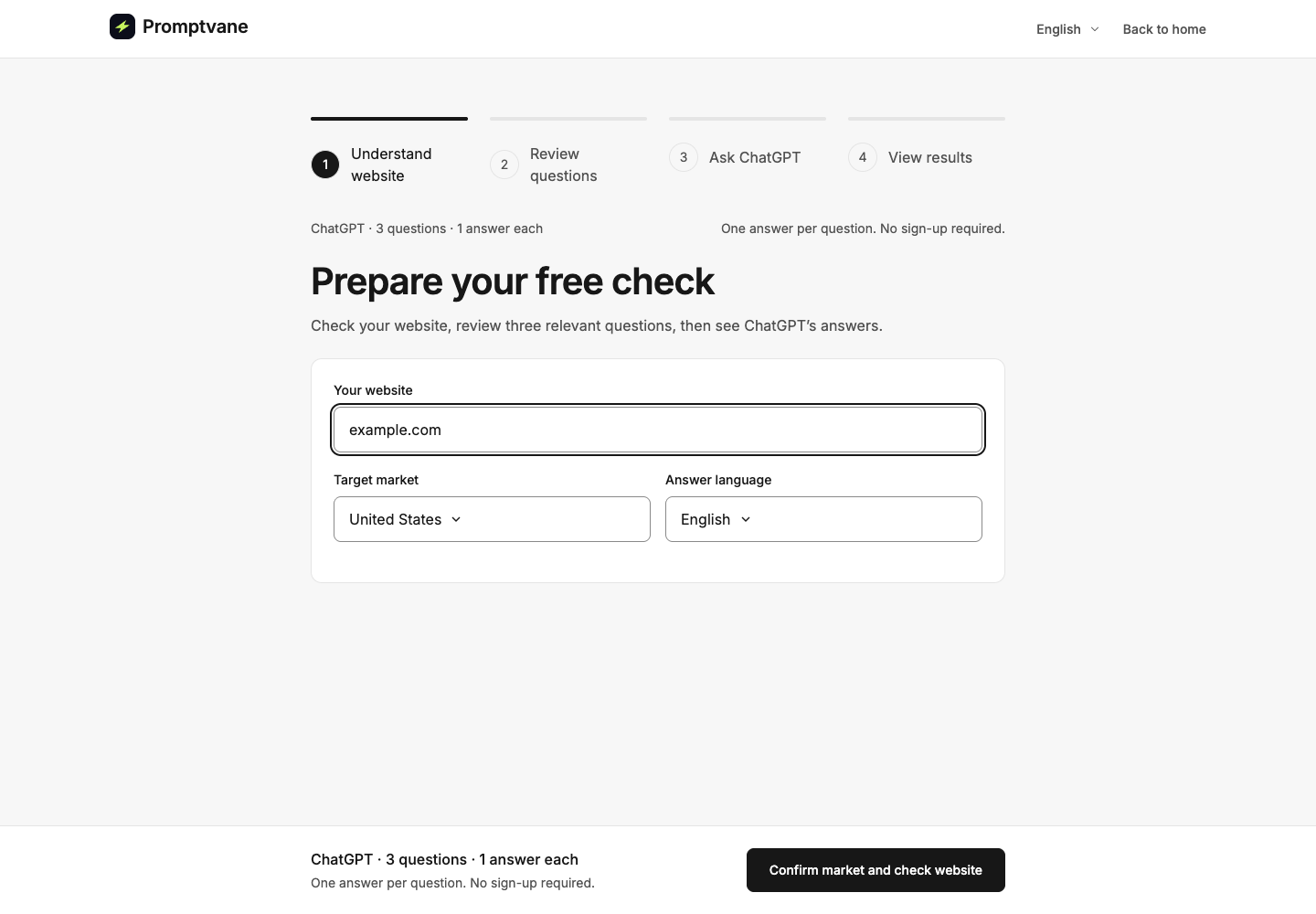
Current 0.3.23 interface with fictional demonstration data; no live ChatGPT check was run. Enter your website and confirm the market and answer language before preparing questions.
2. Review three candidate buyer questions
You do not need to arrive with a prompt list. Promptvane uses your website information to suggest questions, then lets you review and edit them before the check.
The candidates cover a product category, a supported use case and a relevant selection criterion. They are hypotheses based on your website, not verified searches or the exact questions your buyers ask. Check that each one matches something your product actually does.
For example, imagine a fictional product that helps freelancers send invoices and supports recurring invoices:
| Question angle | Example to adapt | Check before using it |
|---|---|---|
| Category | Which invoicing tools are available for freelancers? | Is this the product category and audience you serve? |
| Use case | Which tools help freelancers send recurring invoices to clients? | Does your product support recurring invoices? |
| Selection criterion | Which invoicing tools show whether a client invoice has been paid? | Does your product actually provide payment-status tracking? If not, replace this question. |
These are teaching examples, not generated results or evidence of search demand. The third question shows why review matters: being an invoicing product does not prove that every invoicing feature is supported.
Avoid putting your own brand name into a discovery question. “What is ExampleBrand?” checks how ChatGPT describes a named product. “Which invoicing tools are available for freelancers?” checks whether it brings up that product without being prompted by name. Both can be useful, but they answer different questions.
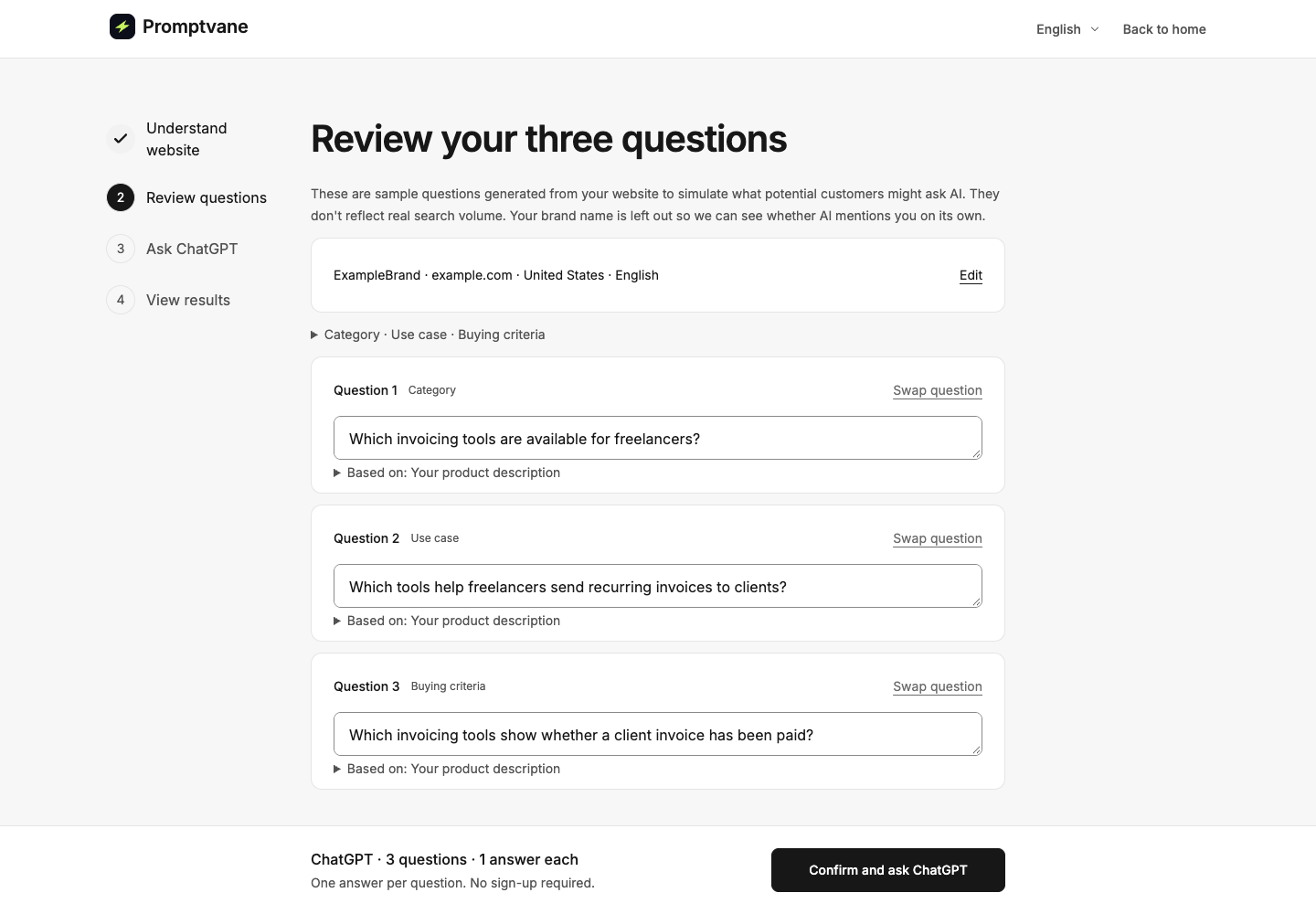
Current 0.3.23 interface with fictional demonstration data; no live ChatGPT check was run. Review the three candidate questions and correct unsupported assumptions before starting. These are not measured buyer searches.
3. Start the free ChatGPT check
After reviewing the questions, explicitly start the check. The anonymous experience covers one website and 3 × 1: three questions, one planned ChatGPT answer per question.
You can read the initial results without signing up. Wait for the individual answer statuses: three planned answers do not necessarily mean three successful answers. A failed or pending answer is missing evidence, not proof that ChatGPT omitted your brand. Use the recovery action offered for a confirmed failure rather than repeatedly launching a new check.
Promptvane collects ChatGPT answers through DataForSEO’s ChatGPT web-experience scraper. This is a sampled observation through that service, not a reproduction of a particular person's logged-in ChatGPT conversation, history or personalization. Record the market, language, question wording and date when comparing results.
4. Read the answers before interpreting the score
Open each available answer and check three things:
- Brand mention: Is your brand named in the answer text?
- Recommendation: Does the wording suggest choosing your product or service for this particular need?
- Website citation: Does the answer cite a page on your own domain as a source?
A brand visibility summary is a starting point. The original answer is where you can verify the context, other brands named and source links. If a competitor appears, read what the answer says about it; its presence alone does not explain why your product was absent.
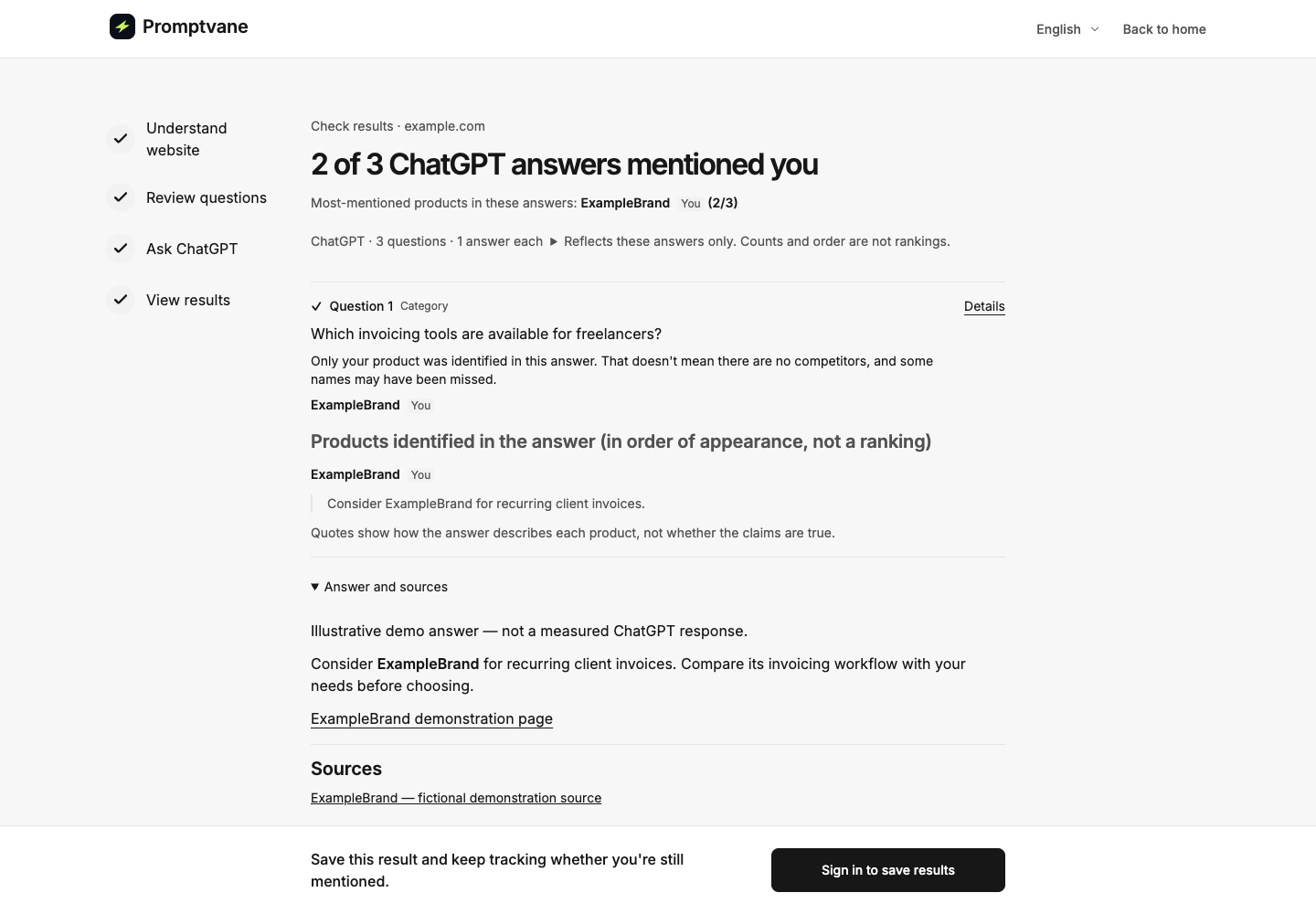
Current 0.3.23 interface with fictional demonstration data; no live ChatGPT check was run. The expanded answer and source links illustrate how to inspect evidence. The displayed 2-of-3 count is fictional; signing in to save is a separate action.
Difference Between AI Website Citations and Brand Mentions
A brand mention names your brand in the answer. A website citation references a page on your domain as a source. A recommendation suggests choosing your product or service in context. One does not establish the others.
| Fictional answer example | What it supports | What it does not establish |
|---|---|---|
| “ExampleBrand is an invoicing product.” | A brand mention. | That the answer recommends it for the user's task. |
| “Consider ExampleBrand for recurring client invoices.” | A mention and a recommendation for that use case. | That the answer cites ExampleBrand's website or that the claim is accurate. |
An invoicing explanation cites a guide on example.com, without naming the product. | A website citation. | A brand mention or product recommendation. |
| “ExampleBrand does not support the workflow you described.” | A brand mention in a negative context. | A positive recommendation. |
These examples illustrate classification only. They are not actual ChatGPT responses, product claims or outcomes from this tool.
A link to a third-party review that discusses your brand is not an own-site citation. A plain link directing someone to a homepage is also not automatically a source citation: inspect how it is used in the answer. Neither a mention nor a citation proves that someone visited your site or signed up.
For counts, successful-answer denominators and a simple evidence log, see how to measure AI visibility.
What if ChatGPT does not mention your website or brand?
Start with the question, not a guess about the model's reasoning. Is the question relevant to your product? Does it include an audience, location, budget or feature you do not support? Is it asking for a tutorial when you expected a shortlist of tools?
Then inspect the answer. Note which products are named, which selection criteria are discussed and which pages are cited. Those observations can guide a follow-up investigation. They do not prove that you need more backlinks, that your website is blocked or that a specific content change will earn a recommendation.
Three answers are an initial slice of ChatGPT brand visibility. They are not a market-wide score or a stable ranking. If you later repeat a question, keep its wording and collection conditions comparable. If you change the question, label it as a new question rather than treating the result as an improvement over the old one.
Save your first check when you are ready
Sign in or register from the result if you want to save the existing questions and answers to your account. Saving does not rerun the check or enable recurring monitoring. Additional questions and future checks are separate actions; review the allowance actually available in your account and the plan details.
You do not need to buy a plan to read the initial free results. Start with one useful task: choose relevant questions, collect the available answers and verify what each answer says.
Enter your website and start the free check. You can also begin on the Promptvane homepage.
FAQ
Can I check my website's ChatGPT brand visibility for free?
Yes. The initial anonymous check covers one website and three questions, with one planned ChatGPT answer per question. You can read the available results without creating an account. Saving and ongoing account monitoring are separate steps.
What should I ask ChatGPT if I do not have a prompt list?
Start with questions about your product category, a task your product supports and a selection criterion that matters to the buyer. Promptvane suggests candidates from your website information. Review them before running the check; website-derived candidates are not verified customer searches.
How long does the free test take?
You can start the flow from this page, but website reading, question preparation and answer collection take time. Completion time varies. Check the displayed progress and answer statuses.
Does a mention mean ChatGPT recommends my website?
No. A mention may be a description, comparison or warning. Read whether the answer actually suggests choosing your product for the user's need. A source link to your website is a separate signal.
Will I see the same answer in my own ChatGPT account?
Not necessarily. Promptvane uses DataForSEO's ChatGPT web-experience scraper. Your own session can differ because of personalization, history, model behavior, location, wording and timing. Compare results with their collection conditions recorded.
Does the check prove ChatGPT has indexed my website?
No. A website access check, a brand mention and a website citation are different observations. Use the AI readiness audit to investigate access and readability; inspect actual answers to understand brand visibility in the sampled questions.
Will signing in run another check?
No. Signing in to save an existing result does not send the questions again. Further checks require a separate action or an enabled monitoring schedule, subject to account access and limits.
Can this test make ChatGPT recommend my product?
No. It helps you observe sampled answers and decide what to investigate next. Running a check or publishing an article does not guarantee a mention, recommendation or citation.